
Welcome to the Network Engineering Domain
Pape O. Fall's Blog
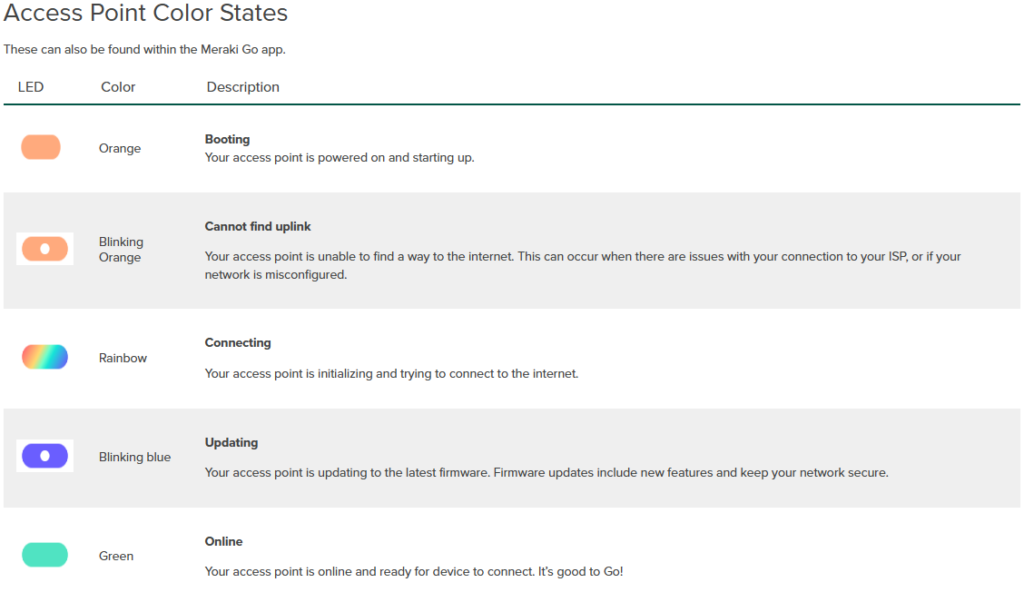
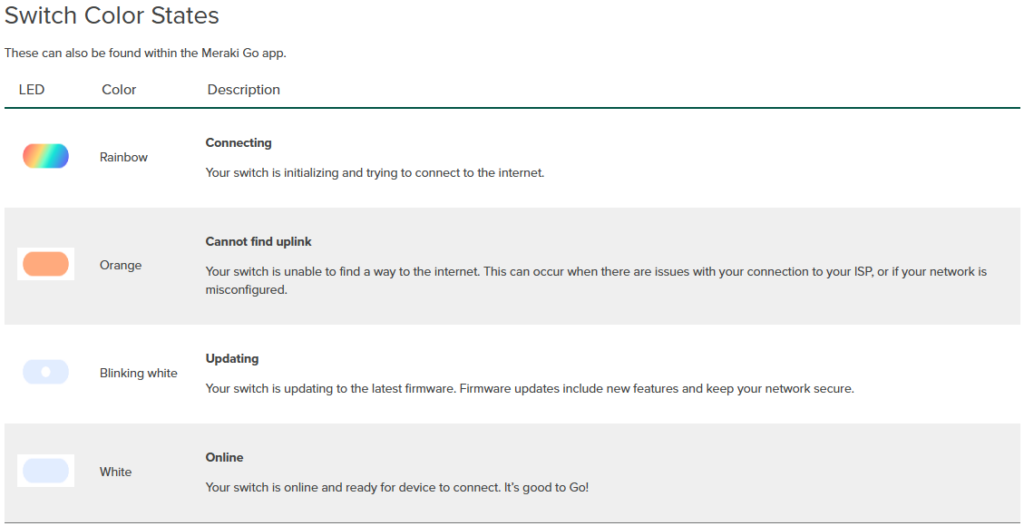
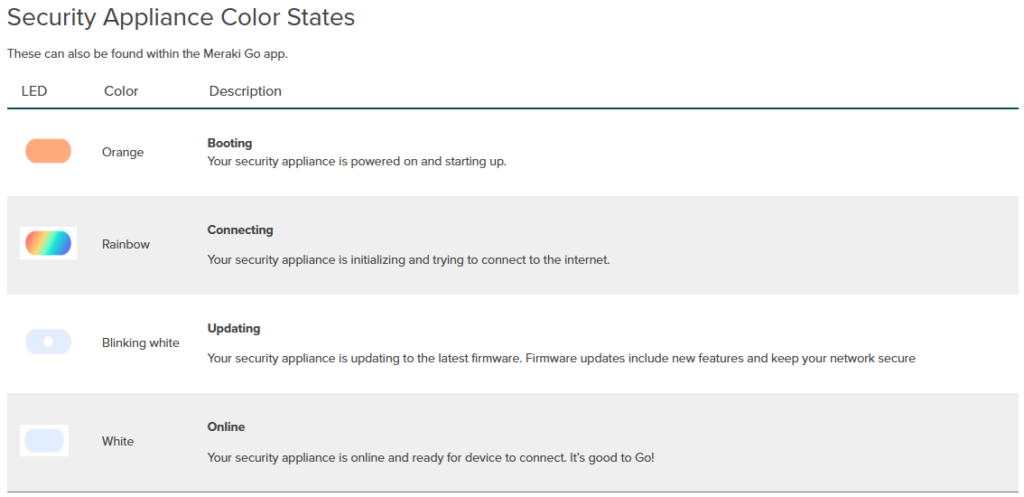
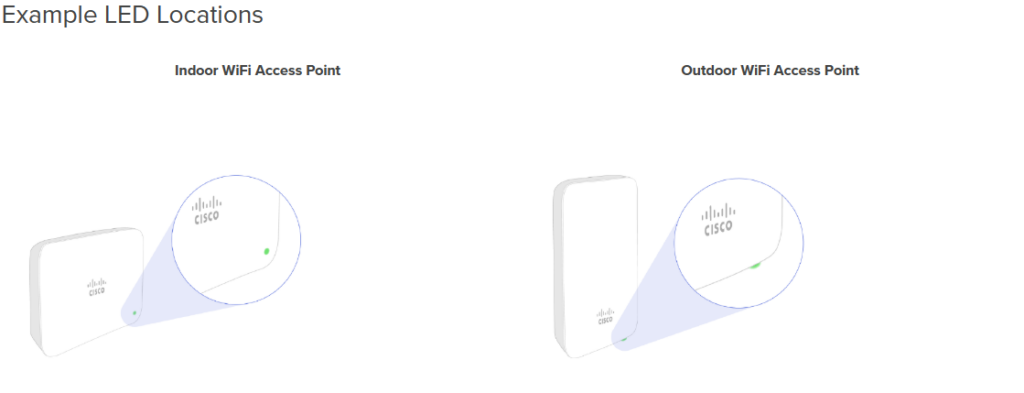
Each Meraki Go device features a multi-color LED indicator designed to offer users a quick and intuitive way to assess the device’s operational status. The placement of this LED varies depending on the specific model, and the color or behavior (solid, blinking, etc.) of the light reflects different states, such as power, connectivity, or error conditions.
If no LED light is visible, please verify that your Meraki Go device is receiving power — either through the included AC adapter or via a Power over Ethernet (PoE)–enabled Ethernet port.
 Hi, I'm Pape ! Folks call me Pop. I'm CCIE #48357. I love what I do and enjoy making tech easier to understand. I also love writing, so I’m sharing my blog with you
| M | T | W | T | F | S | S |
|---|---|---|---|---|---|---|
| 1 | 2 | 3 | 4 | |||
| 5 | 6 | 7 | 8 | 9 | 10 | 11 |
| 12 | 13 | 14 | 15 | 16 | 17 | 18 |
| 19 | 20 | 21 | 22 | 23 | 24 | 25 |
| 26 | 27 | 28 | 29 | 30 | 31 | |